FDTD for Room Acoustics, Part 2: Implementing the 2D FDTD Scheme in Dr.Jit
In Part 2, we implement the FDTD update formula from Part 1 in Python using Dr.Jit, allowing us to run parallel code on the GPU without writing CUDA kernels directly.
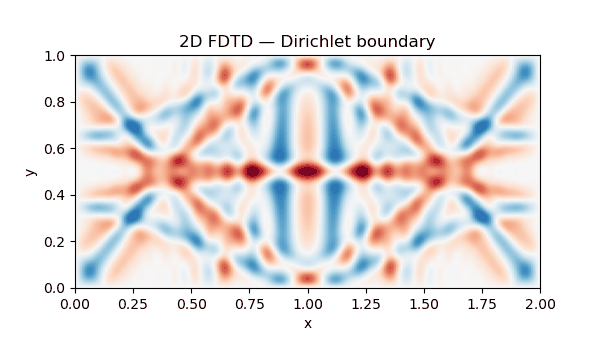
Before going into the implementation, let us first look at what the scheme produces. The animation shows a Gaussian impulse propagating through a two-dimensional grid and reflecting from the domain boundaries. Since this first setup does not include absorption, the wave does not intentionally lose energy over time. The field may look increasingly diffuse after several reflections, but this is caused by the repeated superposition of reflected wavefronts, not by a damping mechanism.
Implementation using Dr.Jit in Python
For the implementation of the FDTD update formula for the wave equation we derived in Part 1 of this series, we will use Dr.Jit, a Python library for writing parallel programs that can run on the CPU or GPU. It also supports automatic differentiation, which makes it interesting for optimization problems.
Wave-based acoustic solvers are computationally intensive, so parallelisation is essential for acceptable performance at larger scales. The differentiability of Dr.Jit also opens up interesting possibilities: instead of only simulating a given scene, we can later ask how a scene or an initial condition would have to change in order to produce a desired acoustic result.
Compared with writing kernels directly in CUDA, Dr.Jit lets us write the program at a higher level. It then converts parts of the program into parallel kernels just in time and runs them on the selected hardware.
The first implementation step in Python and Dr.Jit is available in the members section below. Signing up with your email address is free and gives you access to the companion code for this and future parts of the series.